Why your Python CLI takes 3 seconds to do nothing
On my laptop, dbt --help takes 2.7 seconds. It connects to nothing and reads no model. It prints some text.
aws --version prints one line, and takes 737 ms on the same machine. An empty Python program takes 45 ms.
So the interpreter is not the problem. Here is where the rest goes, how to find it in your own tools, and what you can do about it, whether you maintain the tool or only use it.
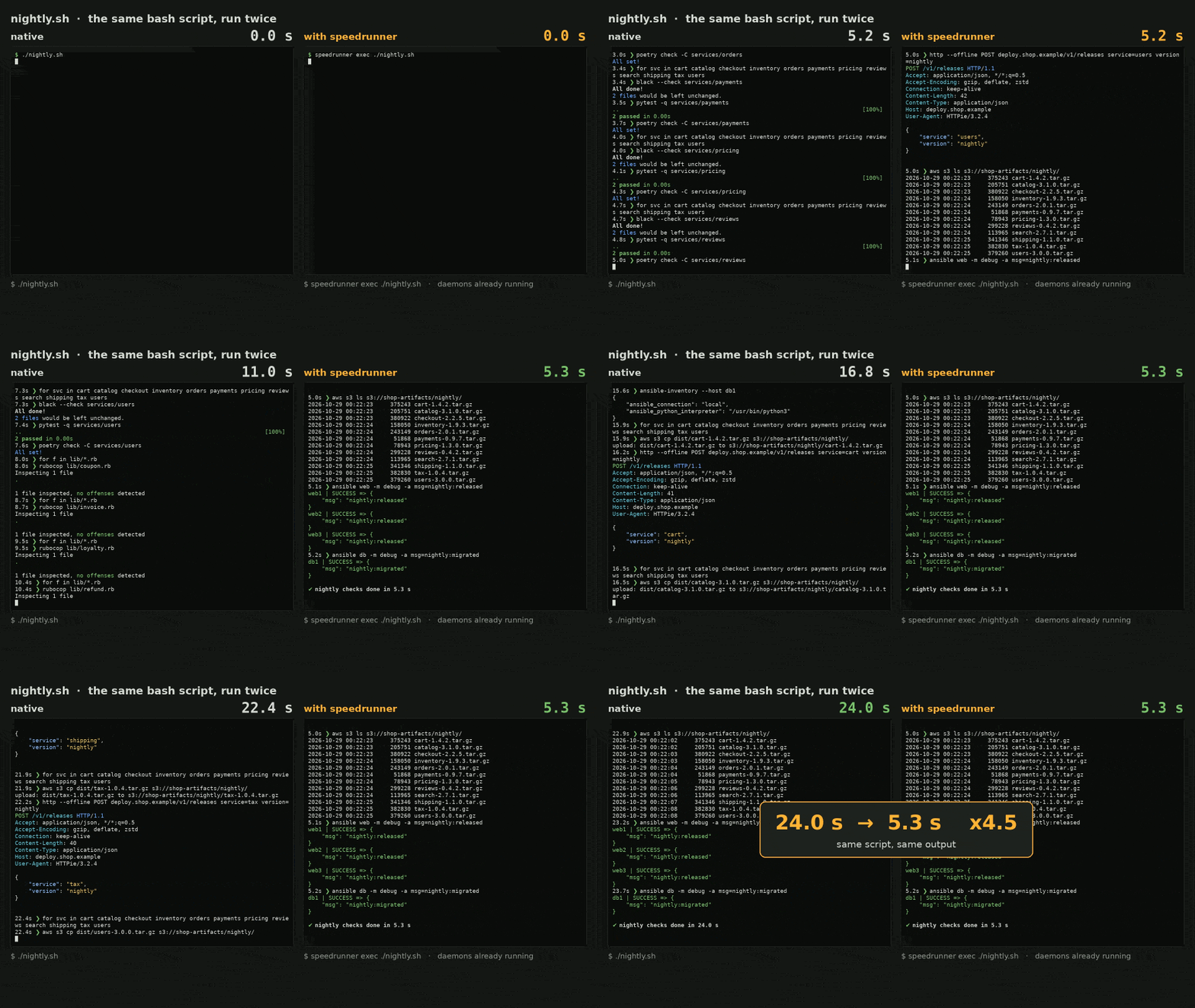
The same bash script, natively and with speedrunner, the tool I built for this: 24.0 s → 5.3 s, same output, daemons already running.
Measure it in one command
Python has had the answer built in since 3.7:
python -X importtime -c "import yourtool" 2> import.log
sort -t'|' -k2 -n import.log | tail -15
For a tool installed as a script, run the script itself:
python -X importtime "$(command -v aws)" --version 2> import.log
That needs the tool to be a Python script, as aws v1 is when installed with pip. The official v2 installer ships a compiled bundle, which this command cannot run.
Each line gives a module’s own time and its cumulative time, in microseconds. Here is the end of the sorted log for aws --version, v1:
import time:      2262 |     161030 | awscli.handlers
import time:       583 |     162930 |             botocore.docs.service
import time:       310 |     163239 |           botocore.docs
import time:       410 |     163649 |         botocore.docs.docstring
import time:       723 |     178447 |       botocore.waiter
import time:      1083 |     216225 |     botocore.client
import time:      1321 |     232280 |   botocore.session
import time:      1197 |     390566 | awscli.clidriver
That is 675 modules to print a version number, with more than half a second of import time. Among them: yaml, urllib3, multiprocessing and docutils.
How to read it without fooling yourself
It is tempting to blame botocore.docs here: 163 ms to import a documentation generator, just to print a version?
That is the trap. The cumulative column charges a module to whoever imports it first. Most of those 163 ms are botocore.compat, which pulls in urllib3, and which botocore.docs merely happened to reach first. Remove botocore.docs and that time moves to the next module that needs urllib3.
So look at both columns. A high cumulative time says where to look. To know what you would actually save, check whether anything else needs the same modules.
It is mostly not your code that is slow
A short call to a Python CLI spends its time on things that have nothing to do with what you asked:
- Starting the interpreter. The smallest part: 45 ms here.
- Importing. Finding each file, reading it, running its top level. Hundreds of modules, each one a few file lookups and some executed code. This is usually the largest part.
- Initializing. Building the argument parser, loading plugins, reading config, parsing data files.
awsbuilds its driver and lists the services it knows before it answers--version. - Shutting down. Tearing the interpreter down has a cost too: about 40 ms per call for
awsv1 on my test server.
None of this depends on the work you asked for, so it weighs most on the shortest commands. It is also paid again on every call: run a linter on each file in a loop, or a tool in a Makefile or a git hook, and it adds up quickly.
If you maintain the tool
Do not import what this command does not need. Most of the gain is here. A CLI that imports its whole API stack in order to render --help pays for all of it on every call.
Move heavy imports into the functions that use them. It is not pretty, and it works on every Python version:
def cmd_deploy(args):
    import boto3  # only this command pays for it
    ...
On Python 3.15, use lazy imports. PEP 810 adds a keyword for exactly this, at module level:
lazy import boto3
Keep the entry point light. Point console_scripts at a small module that parses arguments and dispatches, not at the module that holds everything.
Watch for work at import time. Parsing a data file or building a large table at module level costs every call, including those that never use it. -X importtime shows it as a high self time.
Put a number in CI. Without a test, the time comes back one import at a time.
If you only use the tool
You cannot rewrite aws or dbt. That is the case I care about, since most of us are users of most of our tools.
The time goes to work done the same way on every call. So do it once, and keep the result: a daemon holds the tool with everything already imported, and forks a copy for each call. The copy starts with all of it in memory. It is not a new idea: JumpTheGun, quicken and python-preloaded do it for Python, and AWS Lambda SnapStart does a similar thing with snapshots.
The hard part is not the speed. It is getting exactly what the real tool would have given you: same output, same exit code, same environment, same terminal. A forked process inherits things from its daemon that a fresh one would not have. That is most of the work, and I wrote about it separately: Forking a CLI is easy. Making it behave like the CLI is the hard part.
I built one of these, speedrunner. Nothing to configure, and Python, Ruby, PHP and Node are covered:
curl -fsSL https://raw.githubusercontent.com/anthonyGosme/speedrunner/main/install.sh | sh
srr dbt --help
speedrunner demo    # the gain on your machine, with the tools you have
Measured with no tool-specific setup, median of 20 interleaved runs, every output compared with the native run:
| Command | Native | Served | Speedup |
|---|---|---|---|
dbt --help ¹ |
2721 ms | 30 ms | x90.5 |
poetry --version |
287 ms | 16 ms | x18.2 |
ansible --version |
199 ms | 15 ms | x13.4 |
aws --version (v2) |
386 ms | 40 ms | x9.7 |
black --check sample.py |
92 ms | 12 ms | x7.5 |
pip list |
127 ms | 19 ms | x6.7 |
dbt ls ¹ |
3858 ms | 1166 ms | x3.3 |
pytest -q |
184 ms | 66 ms | x2.8 |
¹ On a laptop, in a Docker container. The others on a 2-vCPU VPS. On macOS, aws v2 runs natively for now.
What this does not fix
Look at the two dbt lines. --help goes from 2.7 s to 30 ms, but dbt ls only gains a factor of three, because it does real work once started. Nothing here makes dbt run query your warehouse faster, or aws s3 ls reach AWS faster.
A long job barely changes either. If a command takes 40 seconds, saving 2 of them will not change your day. And a daemon costs something: tens of megabytes per tool while it stays up, and the first call still runs at full cost while the daemon starts.
This is about the commands you run all day, the short ones where you wait for the prompt to come back. Those add up.
Try it on your slowest tool
Run the two lines from the top on the CLI that annoys you most. If you find something surprising in the log, I would like to see it, and if you maintain the tool, that log is probably your easiest performance win this year.
Next: Forking a CLI is easy. Making it behave like the CLI is the hard part, on what it takes for a forked call to behave exactly like the real tool.